
How do I assign a conversation to a team member?
Published on: 04/11/2026
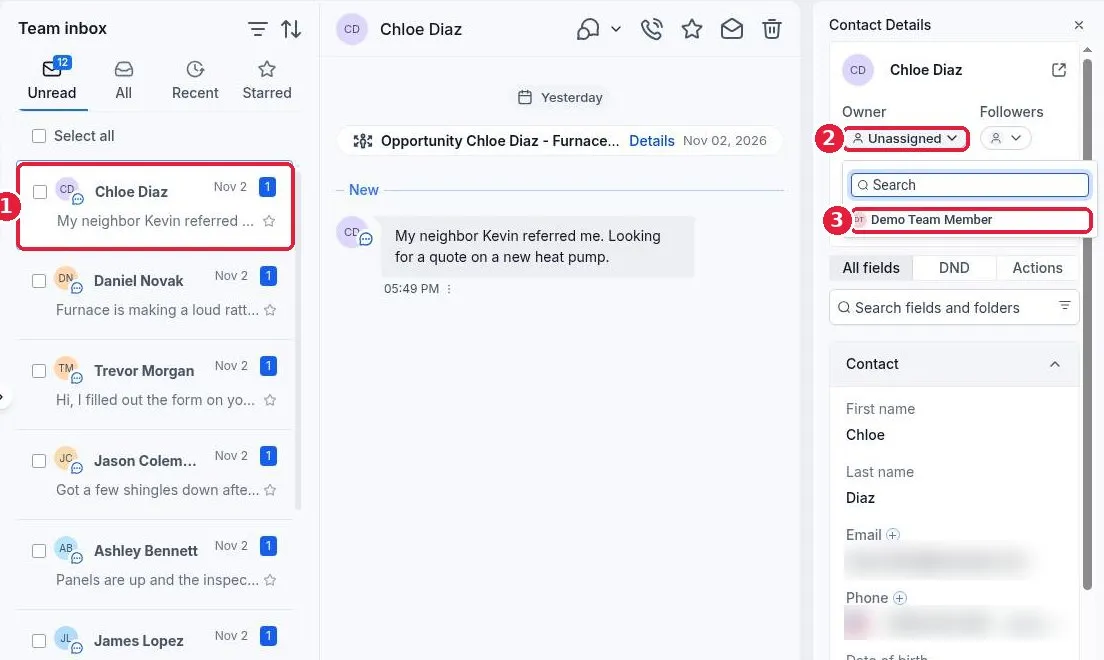
Assign a conversation in Reachific: open Conversations, click the conversation, then in Contact Details click Owner and pick the team member. The conversation and contact now belong to that person, and the inbox can be filtered to show what is assigned to each user.
assign conversationteam inboxownerconversationshelp center